

Frequently Asked Questions
Orders & Payments
Can I cancel or modify my order after placing it?
We process orders as quickly as possible to ensure timely delivery.
If you need to cancel or modify your order, please contact our Customer Support team at support@carement.us as soon as possible and include your order number and request details. We will do our best to accommodate your request.
However, once your order has been processed or sent for fulfillment, cancellations and modifications may no longer be possible.
If your order has already been processed, please contact our Customer Support team at support@carement.us after your package arrives to check whether it’s eligible for a return.
When can I return a product?
All returns are subject to our Return & Refund Policy.
To qualify for a standard return, items must be in their original, unopened packaging, with the original box and factory seal intact.
Opened or used products are not eligible for return if you simply change your mind.
Can I change my shipping address after placing an order?
Yes, you may request a shipping address change as long as your order has not yet been processed or shipped.
Please contact our Customer Support team at support@carement.us as soon as possible with your order number and the correct shipping address. We will do our best to accommodate your request.
However, once your order has shipped, we cannot guarantee that the address can be changed. You may need to contact the shipping carrier directly to request an address update or redirection.
Please double-check your shipping address before completing your order.
Can I change my billing address after placing an order?
Unfortunately, billing addresses cannot be changed once an order has been placed, as they are associated with the original payment transaction.
Please note that your billing address does not need to match your shipping address.
Does sales tax apply to my order?
Yes, sales tax applies to orders shipped to most U.S. states. Tax rates vary by state, and sometimes by city or county, so the amount depends on your shipping address.
The exact tax amount will be calculated and shown at checkout before you complete your purchase. For details about the tax rules in your state, please contact your state’s Department of Revenue or local tax authority.
What payment methods do you accept?
Before checking out, please review the available payment methods below.
[Available Options]
- Express Checkout: Shop Pay, Apple Pay, Google Pay, PayPal.
- Regular Checkout: Debit or credit cards (Visa, Mastercard, Discover, and American Express)
[Not Accepted]
- Cash on Delivery (COD)
- Direct bank transfer
- Personal checks or money orders
- Cryptocurrency payments
- Payment methods not displayed at checkout
All payments are securely processed through our checkout system.
What should I do if my payment is declined?
If your payment doesn’t go through, please try the following:
- Double-check your card number, expiration date, security code (CVV), and billing address.
- Contact your bank or card issuer to make sure the payment wasn’t blocked, and ask them to approve it.
- Try a different payment method, such as another card, Shop Pay, Apple Pay, Google Pay, or PayPal.
If you still can’t complete your purchase, please contact our Customer Support team at support@carement.us and describe the issue, including any error message you see.
Will I receive an order confirmation email after payment?
Yes, once your order has been successfully placed, you will receive an order confirmation email.
You can also check whether your payment was successful by logging in to your account on our website and viewing your order status under “Orders” in your profile.
Is my credit card information stored securely?
We use secure, encrypted payment processing to help protect your personal and financial information. We do not store your full credit card details on our website. Your payment is processed through our payment system when you place your order.
Your order is subject to payment authorization and stock availability. If we are unable to complete your order for any reason, we will notify you by email.
Shipping & Tracking
How much does shipping cost?
We offer free standard shipping on orders over $70 within the United States.
For orders under $70, shipping fees will be calculated and displayed at checkout before you complete your purchase.
Please note that we currently ship only within the United States and do not offer international shipping.
How long does it take to ship my order?
Typically, orders are processed within 3-5 business days.
After processing, standard shipping takes an additional 5-7 business days.
Please note that delivery may take up to 2 weeks due to severe weather, carrier delays, high shipping volumes, or other circumstances beyond our control.
If your order hasn't arrived within 15 days, please contact our Customer Support team at support@carement.us with your order number.
How can I track my order?
When your order ships, we will send email with a tracking number to the email address you entered at checkout, allowing you to track your package directly on the shipping carrier's website.
Alternatively, you can check your shipping status by clicking “Track My Order” at the top of our website. Enter your order number and the email address from your order receipt, or enter your tracking number.
To make tracking easier, please enter a valid email address when you place your order.
Which carrier do you use?
We ship orders through various carriers, including USPS. Once your order ships, you will receive an email with a tracking number so you can follow your package.
What should I do if I haven't received a tracking number?
Once your order ships, our system automatically sends a shipping confirmation email containing your tracking link to the email address you entered at checkout.
If no email address was provided when you placed your order, we are unable to send this email, so we recommend entering a valid email address at checkout.
If you do not see it in your main inbox, please check your Spam or Junk folder, as automated emails can sometimes be filtered there. If you still haven't received it, please contact our Customer Support team at support@carement.us.
What should I do if my package is delayed or in transit unexpectedly?
We understand how important it is to receive your order on time.
Occasionally, shipping delays may occur due to weather conditions, carrier operations, high shipping volumes, or other unexpected circumstances.
If your package appears delayed, we recommend checking the latest tracking updates using the tracking number provided in your shipping confirmation email.
If your package has not arrived within the estimated delivery timeframe, please contact our Customer Support team at support@carement.us with your order number and tracking details.
Our team will be happy to check on your shipment.
Why is my tracking status stuck on "Label Created"?
"Label Created" status means that a shipping label has been generated, but the carrier has not yet recorded its first tracking scan.
This can happen when your package is being prepared for pickup or is waiting to be scanned at a carrier facility.
Please allow a few business days for the tracking information to update.
If the status doesn’t update after several business days, contact our Customer Support team at support@carement.us with your order number so we can help investigate.
What should I do if my tracking shows "Delivered" but I haven't received my package?
If your tracking status shows "Delivered" but you haven't received your package, please check your front porch, mailbox, and surrounding areas, and ask your neighbors or building management.
We also recommend contacting the shipping carrier directly with your tracking number to confirm the delivery location.
If the carrier provides official Proof of Delivery (such as a delivery photo confirming the correct address), we are generally unable to offer a refund or free replacement for packages that are lost or stolen after confirmed delivery, subject to applicable law.
However, if you still cannot locate your package, please contact our Customer Support team at support@carement.us with your order number and tracking details.
Our Customer Support team will be happy to assist you.
What should I do if I entered the wrong shipping address?
If you entered an incorrect shipping address, please contact our Customer Support team at support@carement.us immediately with your order number and the correct address. If your order has not been shipped, we will do our best to update the shipping address.
However, once your order has been shipped, we are unable to make any changes.
You will need to contact the shipping carrier directly with your tracking number to request an address update or redirection.
Please note that we cannot guarantee successful delivery or offer a refund or free replacement for packages delivered to an incorrect address provided at checkout, subject to applicable law.
Can I leave delivery instructions or request an expedited shipment?
If you have special delivery instructions, please contact our Customer Support team at support@carement.us as soon as possible after placing your order.
We will do our best to forward your instructions to our shipping team or delivery partner.
However, we cannot guarantee that specific delivery requests can be accommodated. We also cannot guarantee that expedited shipping is available. Available shipping methods and estimated delivery times will be displayed at checkout.
Once your order has been shipped, any additional delivery arrangements may need to be made directly with the shipping carrier.
Do you ship to Alaska, Hawaii, PO boxes, or military addresses (APO/FPO)?
We currently ship within the continental U.S. and to Hawaii.
Shipping to Puerto Rico, Guam, and the U.S. Virgin Islands is not available at this time.
[Shipping to P.O. Boxes: Limited Availability]
Shipping to P.O. Boxes may be possible. However, we strongly recommend using a residential or business address, as deliveries to P.O. Boxes carry a higher risk of loss or misdelivery, and compensation may not be available in such cases.
[Shipping to APO/FPO/DPO Addresses: By Request Only]
Military addresses are not supported through our standard shipping process. However, shipping via USPS may be arranged upon request.
Please contact our Customer Support team at support@carement.us before placing your order.
[Shipping to Hotels: Available]
Shipping to hotels is available, depending on the hotel's policy. Please confirm that your hotel accepts packages before placing an order.
Please note that our delivery responsibility ends once the package is delivered to the hotel's front desk.
[Shipping Fees & Delivery Times]
Shipping fees may vary depending on the destination, package weight, and other factors. Delivery times may also vary, with shipments generally arriving within 14 business days after dispatch.
Returns & Warranty
How can I check if my product is covered by the warranty?
All eligible electronic beauty devices purchased directly from our website are covered by a 1-year limited warranty from the original purchase date.
The warranty covers device malfunctions or defects that occur under normal use.
Eligible products may be repaired or replaced at no additional cost.
The warranty does not cover:
- Damage caused by misuse or improper handling
- Accidental damage
- Unauthorized repairs or modifications
- Products purchased from unauthorized third-party sellers
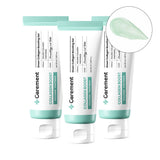
- Skincare and consumable products such as Green Collagen Boosting Gel
To verify your warranty coverage, please contact our Customer Support team at support@carement.us with your order number, purchase date, and a description of the issue. Our team will review your request and confirm the available warranty options.
How long does it take to receive a refund?
Once we receive and inspect your returned item, we will notify you whether your refund has been approved.
If approved, your refund will be issued to your original payment method within 10 business days.
Please note that your bank or payment provider may require additional time to process the refund.
If you haven’t received your refund within 15 business days of approval, please contact our Customer Support team at support@carement.us for assistance.
Can I exchange an item instead of returning it?
Exchanges may be available depending on the product's condition, availability, and eligibility under our return policy.
To request an exchange, please contact our Customer Support team at support@carement.us within 7 days of receiving your order and include your order number and the reason for your request. All exchanges require prior approval.
Please note that we do not accept exchanges or returns for opened or used products if you simply change your mind.
If you have already opened the product and discovered a defect or other issue, please contact our Customer Support team at support@carement.us. Our team will review your case and determine the appropriate resolution.
Please do not send any items back without contacting our team first.
How do I request a warranty replacement?
To speed up your warranty claim, please email a single, continuous, unedited video demonstrating the problem to our Customer Support team at support@carement.us.
Please ensure the video clearly captures:
- The device connected to power using the original charging cable.
- You pressing the power button.
- The specific error or blinking lights.
Once our team reviews and verifies the issue, we will promptly arrange a replacement.
What should I do if I receive a damaged or defective product?
We are sorry if your order arrived damaged or defective.
Please contact our Customer Support team at support@carement.us as soon as possible after receiving your package.
To help us resolve the issue efficiently, please provide:
- Your order number
- A brief description of the problem
- Clear photos or a short video showing the damage or defect
Our team will review the information and assist you with an appropriate resolution, which may include a replacement or refund, depending on the product and applicable policy.
Please keep the product and its original packaging until our team provides further instructions.
Product & Usage
V-THERA13 questions
What’s included in the V-THERA box?
Your V-THERA package includes:
- V-THERA device
- Device stand
- USB-C charging cable
- User manual
How long does the V-THERA battery last?
A fully charged V-THERA provides about 140 minutes of use.
Where on my face or body can I use the V-THERA device?
V-THERA features three modes, each designed for different areas of the face and body.
[Slim Mode]
Recommended areas: Jawline and lower face
It gently taps surface-level and mid-depth facial muscles to provide targeted stimulation.
[Up Mode]
Recommended areas: Cheekbones, nasolabial folds, and temples
It gently lifts and stimulates deeper facial muscles, making it ideal for enhancing the appearance of facial contours and firmness.
[Body Mode]
Recommended areas: Trapezius muscles, upper arms, and calves
It delivers long, slow pulses that gently press and stimulate the body. It is ideal for helping relax tight or tense areas while providing a soothing massage-like sensation.
Please avoid using the device around the eyes and the center of the neck (Adam's apple).
Do I need to charge my device before first-time usage?
Please fully charge your V-THERA before first use for a smooth, uninterrupted experience.
Use the included USB-C cable and plug it into the charging port on the back of the device, near the bottom.
Is it normal to feel a slight tingling or "zapping" sensation?
Yes!
V-THERA uses EMS (Electrical Muscle Stimulation) technology, which may cause a mild tingling, pulsing, or tapping sensation during use. We recommend starting at Level 1 and gradually increasing the intensity based on your comfort level.
These sensations usually fade within about 10 minutes. Areas with thinner skin, such as around the nose and lips, may feel stronger stimulation. When using the device on these areas, keep the device moving continuously to avoid overstimulation.
If discomfort persists, stop using the device and consult a healthcare professional before resuming use.
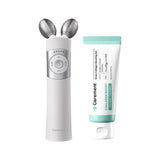
Do I have to use the Green Collagen Boosting Gel with the V-THERA?
V-THERA can also be used with other compatible serums or creams.
However, we highly recommend using our Green Collagen Boosting Gel, which is specially formulated to complement V-THERA.
Enriched with collagen and panthenol, the formula helps support skin elasticity and improve the appearance of fine lines and wrinkles. When used with V-THERA, it helps enhance your skincare routine for firmer, smoother, and more youthful-looking skin.
How often should I use V-THERA?
V-THERA is designed for about 10 minutes of use per day. Excessive use may cause skin irritation.
Please start at the lowest intensity level and gradually adjust according to your comfort.
Consistency matters more than intensity!
How should I prepare my skin before using V-THERA?
After cleansing, apply a generous amount of skincare product, such as an essence or gel cream, to the treatment area. Applying too little may reduce the stimulation you feel.
How long does it take to see results?
You may notice visible improvements immediately after just one use. Clinical testing showed improvements in eight skin-related indicators immediately after a single use, including improvements in skin elasticity and the appearance of facial contours.
Other visible improvements may develop gradually with regular and consistent use.
For the best experience, we recommend incorporating V-THERA into your daily skincare routine and using it consistently as directed.
Please note that individual results may vary.
Who should not use V-THERA?
Do not use the device if you:
- Are sensitive to electrical stimulation or microcurrents
- Have a metal allergy
- Have been diagnosed with telangiectasia (enlarged or visible blood vessels)
- Have reduced sensitivity to heat or difficulty feeling sensations on your skin
Please consult a physician before using V-THERA if you:
- Are pregnant
- Have a heart condition or other significant medical condition.
- Have recently undergone facial surgery or a cosmetic procedure.
- Have dental work, such as braces, implants, or crowns, that may cause sensitivity during electrical stimulation.
- Have any concerns about whether EMS technology is suitable for your health condition.
If you are unsure whether V-THERA is appropriate for you, please consult a healthcare professional before use.
How do I clean and store V-THERA?
[Cleaning]
After each use, wipe the metal ball and the handle with a damp tissue or clean cloth. Do not rinse the device with water. Do not clean it with alcohol or any corrosive substances.
[Storage]
Store the device in a cool, well-ventilated place. Avoid high temperatures, high humidity, and direct sunlight.
Can I bring the device on a plane?
Yes, you can bring your device on a plane, but it must be packed in your carry-on bag only. Do not place it in checked baggage, because the device contains a rechargeable lithium battery.
Airline rules can vary, so we recommend checking directly with your airline before you travel.
Are there any safety precautions I should follow when using the device?
Yes.
For safe and proper use, please follow these precautions:
- Keep the device dry. Do not allow it to come into contact with water or use it while bathing or showering.
- Do not use the device while it is charging. Always unplug the charging cable before use.
- Keep the device out of reach of children.
- Do not use the device if it is damaged or malfunctioning.
- Follow the recommended usage time and frequency for each mode.
- Stop using the device immediately if you experience unusual pain, irritation, or discomfort.
Please read the user manual carefully before using the device.
PENTA PRIME12 questions
What’s included in the Penta Prime box?
Your Penta Prime package includes:
- Penta Prime device
- Charging cable
- User manual
How long does the Penta Prime battery last?
A fully charged Penta Prime provides about 280 minutes of use.
What makes PENTA PRIME different from other beauty devices?
Here’s what sets Penta Prime apart:
- Developed with KAIST (Korea Advanced Institute of Science and Technology) Experts & Tested for 8,600 Hours
Developed in collaboration with KAIST experts and tested for 8,600 hours for reliable performance and optimized skincare results. - High-Density Frequency of 107,000 Pulses per Second
Delivers up to 107,000 pulses per second to help enhance the delivery of active skincare ingredients deeper into the skin with minimal irritation. - Mode-Optimized Output
Each mode delivers a different level of output, precisely optimized for its intended skincare purpose. - Ergonomic 108° Pentagonal Design
Designed to closely follow facial contours, including the sides of the nose, cheekbones, and jawline, for more precise and comfortable application. - 120° Wrist-Friendly Angle
Designed at an optimal 120° angle for a comfortable grip and effortless daily use. - Optimized 33mm (1.3 in) Head Size
The 33mm (1.3 in) head is designed to maximize coverage while improving treatment efficiency. - 2.59× Enhanced Absorption
Helps enhance the absorption of skincare ingredients by up to 2.59×. - KC-Certified, Low-Irritation Design
KC-certified and designed for gentle use, making it suitable for sensitive skin.
Where should I use Penta Prime?
Each mode is designed for a different target area:
[Glow Care: Enhance Skin Radiance]
Recommended areas: Full face
Press the device head firmly against your skin and move it in small circles to help your skincare products absorb.
[Pore Care: Improve Skin Texture]
Recommended areas: Mid-face and cheeks, especially areas with enlarged pores
After cleansing, make sure your skin is dry, then gently glide the device over areas where enlarged pores are a concern for 5 minutes, then apply your skincare products.
[Volume Care: Boost Skin]
Recommended areas: Nasolabial folds and cheekbones
Please press the head firmly against the skin and glide it upward to lift the skin.
[Line Care: Refine Facial Contours]
Recommended areas: Forehead, mid-face, and jawline
After applying an appropriate amount of base product, slowly glide the head over your skin. Pause for 1-2 seconds on areas that feel tight to help release tension.
How often should I use Penta Prime?
Recommended usage varies depending on the mode:
- Glow Care: 1–3 times daily, 5–10 minutes per session
- Pore Care: 2–3 times per week, 5 minutes per session
- Volume Care: 1–3 times daily, 5–10 minutes per session
- Line Care: 1–3 times daily, 5–10 minutes per session
When should I use each Penta Prime mode?
For optimal use:
- Glow Care: Immediately after applying skincare products
- Pore Care: Immediately after cleansing
- Volume Care: Immediately after applying skincare products
- Line Care: Immediately after applying skincare products
How should I prepare my skin before using Penta Prime?
After cleansing, apply a generous amount of skincare product, such as an essence or gel cream, to the treatment area. Applying too little may reduce the stimulation you feel.
Pore Care mode is the exception: after cleansing, dry your skin thoroughly and use the device before applying your skincare products.
Who should not use Penta Prime?
Do not use the device if you:
- Have abnormal responses to microcurrent stimulation
- Have a metal allergy
- Have been diagnosed with telangiectasia (enlarged or visible blood vessels)
- Have reduced sensitivity to heat or difficulty feeling sensations on your skin
If you are unsure whether Penta Prime is appropriate for you, please consult a healthcare professional before use.
Is it normal for the device to feel warm during use?
Yes, the device may gradually feel warm during use, which is normal.
However, if it becomes excessively hot or feels uncomfortable on your skin, stop using it immediately and allow it to cool before further use.
How do I clean and store Penta Prime?
[Cleaning]
After each use, wipe the device head and handle with a damp tissue or clean cloth. Do not rinse the device with water. Do not use alcohol or other corrosive liquids to clean it.
[Storage]
Store the device in a cool, dry place. Avoid moisture, high temperatures, and direct sunlight.
Can I bring the device on a plane?
Yes, you can bring your device on a plane, but it must be packed in your carry-on bag only. Do not place it in checked baggage, because the device contains a rechargeable lithium battery.
Airline rules can vary, so we recommend checking directly with your airline before you travel.
Are there any safety precautions I should follow when using the device?
For safe and proper use, please follow these precautions:
- Keep the device dry. Do not allow it to come into contact with water or use it while bathing or showering.
- Do not use the device while it is charging. Always unplug the charging cable before use.
- Keep the device out of reach of children.
- Do not use the device if it is damaged or malfunctioning.
- Keep the device away from fire and other heat sources. Never place the device near or in a fire, as this may pose a risk of fire or explosion.
- Follow the recommended usage time and frequency for each mode.
- Stop using the device immediately if you experience unusual pain, irritation, or discomfort.
Please read the user manual carefully before using the device.
Account & Offers
Can I order without creating an account?
Yes, you may place an order without creating an account.
However, please note that in that case, you will not be eligible for any promotional offers.
How do I delete my account?
If you’d like us to delete your personal information, please reach out to our Customer Support team at support@carement.us.
We’ll help you delete and deactivate your account.
How do I unsubscribe from emails?
You can unsubscribe from our marketing emails at any time by clicking the “Unsubscribe” link at the bottom of any promotional email we send you.
If you’d prefer, you can also email our Customer Support team at support@carement.us with the email address you’d like removed, and we’ll take care of it.
Please note that you will still receive important order-related emails, such as order confirmations and shipping updates, even after unsubscribing from marketing emails.
Do you offer any discounts for new customers?
Yes, first-time customers can receive an exclusive 10% discount code when they sign up.
Simply visit our website and enter your email address in the welcome pop-up.
Your discount code will be generated instantly and can be applied at checkout.
How can I apply a discount code?
You can apply your discount code during checkout.
Follow the instructions below, depending on the device you are using.
[On Mobile]
- At the top of the checkout page, tap on "Show order summary." This will expand your order summary and display a field labeled “Discount code or gift card.”
- Enter your discount code in the field.
- Tap “Apply” (the arrow icon next to the field).
[On Desktop/Laptop]
- On the right-hand side of the checkout page, you will see your order summary.
- Just below the items in your cart, look for the box labeled "Discount code or gift card".
- Please type or paste your code in that box and click "Apply".
Your order total will update right away once the code is applied.
How many discount codes can I use per order?
Only one discount code can be applied per order unless otherwise specified in the promotion terms.
Discount codes generally cannot be combined with other offers or promotions unless explicitly stated in the applicable terms and conditions.
Please review the terms and conditions of each promotion before placing your order.
Can I add or change a discount after placing my order?
Unfortunately, discount codes and promotional offers cannot be added, changed, or applied retroactively once an order has been placed.
All discounts must be applied at checkout and are subject to the terms and conditions in effect at the time of purchase.
If you have any questions about a discount or promotion, please contact our Customer Support team at support@carement.us.
No questions match your search.
Still need help?
Our Customer Support team is here to help. Email us at
support@carement.us.